















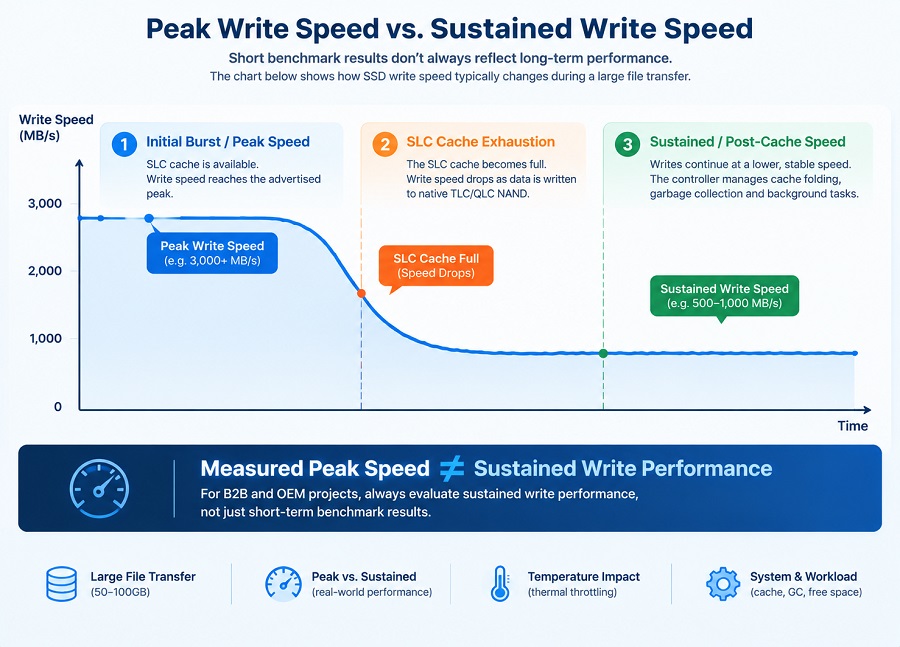
When transferring a large file—such as a 50GB 4K raw video project, a virtual machine image, or a database backup—you might notice a dramatic drop in transfer speed. For the first few seconds, the transfer bar flies along at an impressive 3,000 MB/s or higher. Then, suddenly, the rate slows down to a fraction of its initial peak.
This performance pattern is a standard design characteristic of modern solid-state drives rather than an immediate sign of drive failure. Understanding the engineering mechanics behind sustained write behavior is essential—especially for system builders, IT managers, and procurement teams who need consistent storage performance for continuous workloads.
Key Reasons Why SSD Write Speed Drops
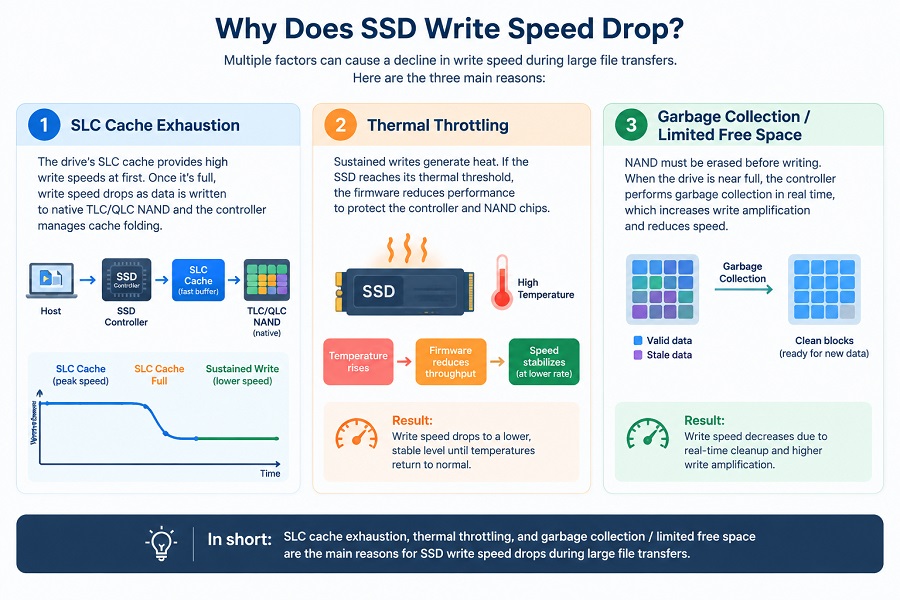
1. SLC Cache Exhaustion
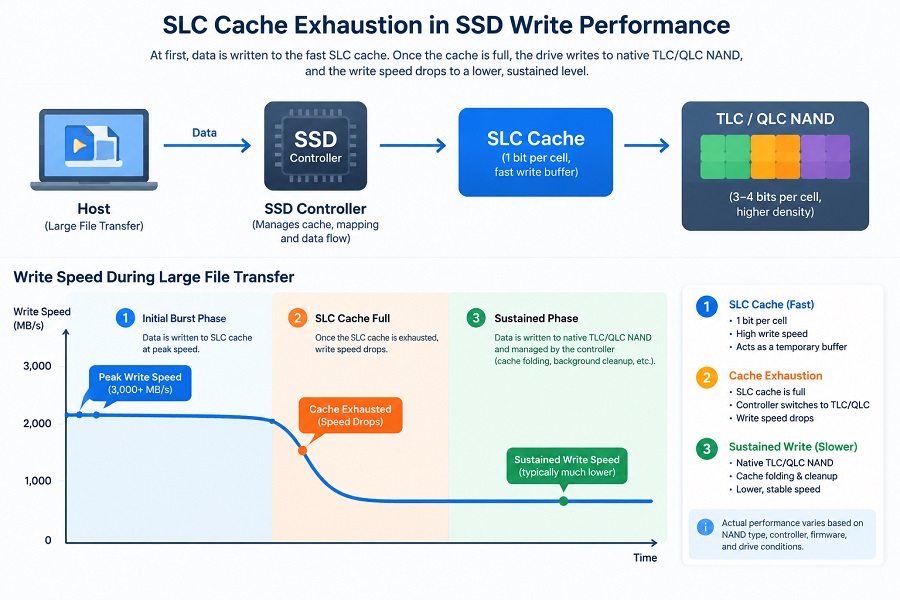
The primary cause of a sudden drop in write speed during large transfers is the exhaustion of the drive's Single-Level Cell (SLC) cache.
Most consumer and client SSDs use Triple-Level Cell (TLC) or Quad-Level Cell (QLC) NAND flash memory to offer higher storage density. To boost daily operational responsiveness, SSD controllers allocate a portion of the NAND to operate in a temporary "SLC mode" (writing 1 bit per cell instead of 3 or 4 bits), creating a fast write buffer.
- Initial Burst Phase: Incoming data is written into the SLC cache buffer at peak advertised speeds.
- Sustained Phase: Once the available SLC cache is exhausted, write speed may decline as incoming data is written to native TLC or QLC NAND and the controller manages cache folding and background cleanup. The exact behavior depends on the SSD's cache design, controller, firmware, and current drive conditions.
Sustained write speed outside the SLC cache can be significantly lower than peak burst speed, depending on the NAND type, controller design, firmware, and operating conditions.
(To explore how cache buffers are structured, see our guide on What Is SLC Cache in an SSD?).
2. Thermal Throttling
High-performance NVMe SSDs generate noticeable heat during sustained read and write operations. The SSD controller processes heavy computational tasks—including wear leveling, error correction (ECC), and data routing—which increases component temperatures.
If host system thermal management or airflow is insufficient, internal sensors may reach designated thermal thresholds. To protect controller circuitry and NAND packages from thermal damage, the drive's firmware initiates Thermal Throttling:
- Thermal sensors detect elevated operational temperatures.
- The firmware adjusts controller operational states and write queue throughput to reduce power consumption and thermal output.
- Transfer speeds stabilize at a reduced rate until temperatures return to normal operational windows.
3. Background Garbage Collection & Capacity Constraints
NAND flash memory must erase existing memory blocks before writing new data. The process of organizing valid data and clearing stale blocks is called Garbage Collection.
When an SSD has ample unallocated space, Garbage Collection runs in the background during idle system time. However, when a drive operates near its total capacity:
- The controller may need to perform Garbage Collection in real time while processing active write requests.
- The drive works harder to clear blocks while receiving incoming data, increasing write amplification and lowering write speeds.
- Drive configurations with dedicated Over-Provisioning (OP)—reserved physical space unavailable to the user—help the controller manage background cleanups more efficiently under full capacity states.
4. Controller & Mapping Table Management (DRAM vs. DRAM-less)
SSD controllers rely on a Flash Translation Layer (FTL) mapping table to manage physical block locations on the NAND chips.
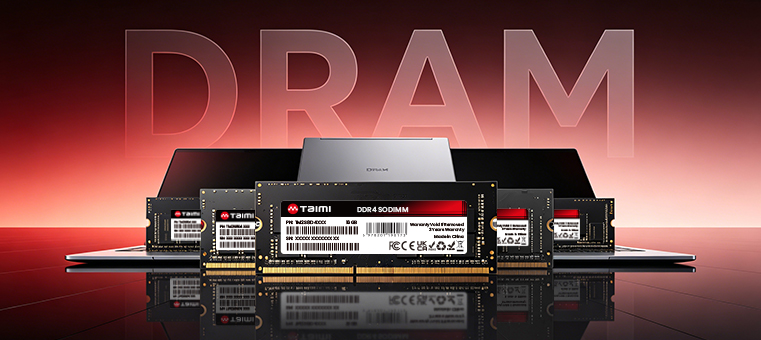
- DRAM-Buffered SSDs: Utilize onboard DRAM chips to store the FTL table for rapid access during heavy write tasks.
- DRAM-less SSDs: Often rely on Host Memory Buffer (HMB) technology (using a small portion of system RAM) or internal SRAM to manage mapping tables.
In DRAM-less architectures, mapping management overhead can increase during complex or mixed-workload write operations. The real-world impact depends heavily on controller capability, HMB implementation, host system support, firmware efficiency, and the specific workload profile.
Evaluating Sustained Performance for B2B & OEM Projects
Short-burst synthetic benchmarks evaluate performance over brief intervals on fresh drives. While useful for verifying baseline operational health, peak metrics do not describe long-term behavior under continuous workloads.
In commercial and system integration environments, unexpected write throughput changes can impact operational efficiency:
| Industry Application | Impact of Unstable / Dropped Write Speed |
|---|---|
| System Integration & PC Assembly | Slower continuous write throughput can extend OS image deployment times across production assembly lines. |
| High-Bitrate Video Recording | If sustained write performance drops below incoming stream rates and system buffers fill up, systems may experience latency spikes or dropped frames. |
| Data Logging & Workstations | Long file transfers, rendering exports, and data archival tasks take longer to finish when operating outside the SLC cache buffer. |
Understanding the difference between short-term read/write limits and long-term sustained throughput helps procurement teams select the right storage profile for their host platforms.
(For a breakdown on comparing specifications, read our article on SSD Read Speed vs. Write Speed).
How to Test Sustained SSD Write Speed
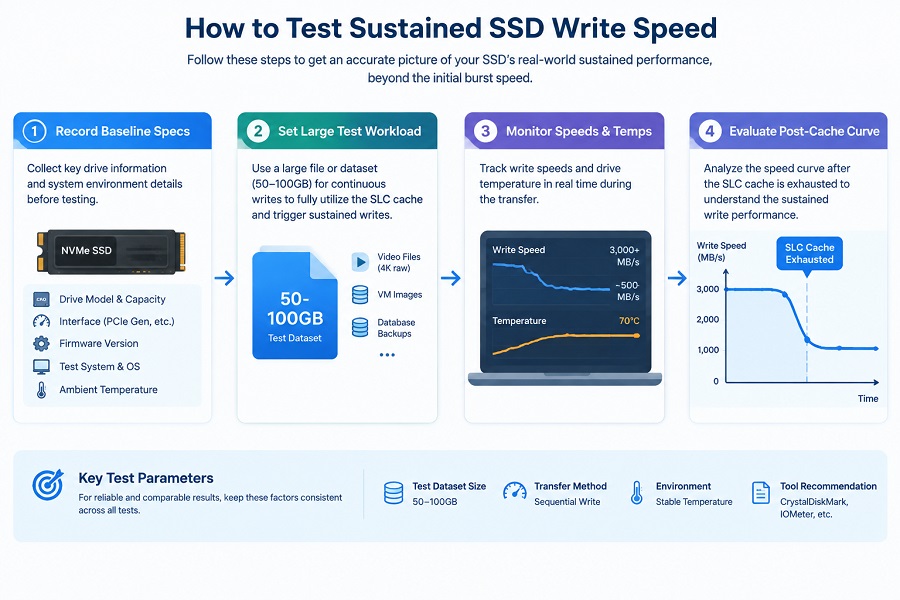
To observe real-world sustained write behavior rather than temporary burst speeds, follow this testing workflow:
- Document Drive Baseline: Record the SSD model, nominal capacity, firmware version, thermal dissipation setup, and available free space before testing.
- Use a Sufficiently Large Test Dataset: Run continuous write tests with a dataset large enough to exceed the drive's available SLC cache. A 50GB–100GB workload may be suitable for some drives, but the required test size depends on drive capacity, cache design, and current drive conditions.
- Monitor Thermal & Speed Trends: Use hardware diagnostic tools to track write transfer curves alongside thermal sensor readings over time.
- Test Under Varying Capacity States: Evaluate drive performance at 50% capacity and 85%+ capacity to observe Garbage Collection behavior under tight storage conditions. Keep the test workload, temperature, and test procedure consistent across runs, and record the results rather than assuming that a specific fill level will produce the same performance drop on every SSD.
- Analyze the Transfer Curve: Identify where the initial cache burst ends and where native NAND write speed stabilizes. Evaluate whether the sustained speed aligns with your host application requirements.
Taimi Storage Capabilities for OEM & Bulk Projects
When sourcing storage for volume integration, evaluating a manufacturer's hardware configurations and quality control standards ensures consistent project outcomes:
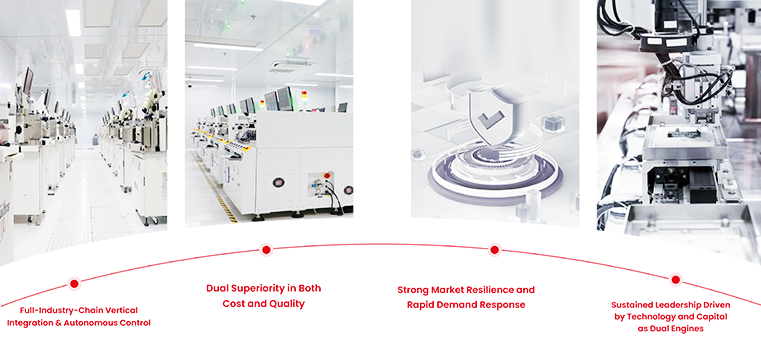
- Defined Component Configurations: Clear verification of NAND flash types (such as qualified 3D TLC configurations) and approved controller configurations.
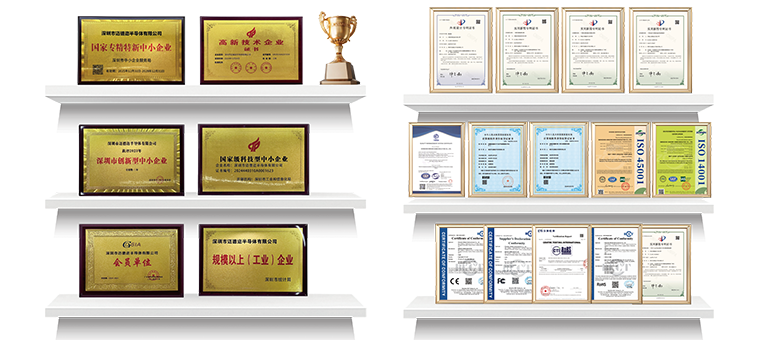
- Factory Quality Screening: In-house SMT production monitoring, inline optical inspection, and thermal screening processes aligned with project specifications.
- OEM Customization Support: Tailored customization options—including custom drive labeling, customized firmware model strings, and project-specific Over-Provisioning allocations—available upon request for qualified volume projects.
- Supply Traceability & BOM Control: Maintained batch records and controlled BOM updates to support repeat volume orders and minimize unexpected configuration changes.
(Learn more about evaluating factory qualifications in our guide on How to Choose an SSD Supplier in China).
Frequently Asked Questions (FAQ)
Q: Is a drop in SSD write speed a sign of a defective drive?
In most cases, no. A drop in write speed during a large file transfer is normal hardware behavior caused by SLC cache buffer saturation, thermal management, or background garbage collection.
Q: Why do some SSDs maintain high speeds longer than others?
Sustained write performance depends on NAND flash type (TLC vs. QLC), total drive capacity, SLC cache allocation design (static vs. dynamic), controller architecture, and thermal cooling solutions.
Q: How can I prevent my SSD from overheating during heavy file transfers?
Ensure host systems have proper airflow, use board-level heatsinks or thermal pads, and avoid installing high-performance NVMe drives directly adjacent to heat-generating components like GPUs without adequate cooling.
Q: Can an SSD's write speed drop when the drive is nearly full?
Yes. When free space becomes limited, the controller may have fewer readily available blocks for new writes and may need to perform more garbage collection. The impact depends on the SSD's firmware, workload, and internal space management.
Q: How do I distinguish SLC cache exhaustion from thermal throttling?
Observe both write speed and drive temperature during a sustained write test. A speed drop that occurs after a similar amount of data has been written may indicate cache exhaustion, while a decline associated with rising temperatures may suggest thermal throttling. These patterns are clues rather than definitive proof, so use the drive's diagnostic data and controlled testing to confirm the cause.
Evaluate SSD Solutions for Your Volume Projects
Need predictable storage performance for system assembly or OEM applications? Our technical team can help you review product specifications, available customization options, and evaluation samples for your project.
Contact Taimi’s Technical Sales Team →