
Company Introduction
More








How Much Power Does an SSD Use? SATA vs. NVMe Power Consumption
Share:
Most SSD spec sheets list a handful of power numbers, yet real-world energy draw rarely stays constant. When buyers and system builders evaluate drives, three practical questions usually come up first:
- How much power does an SSD use?
- Does SSD power consumption affect laptop battery life?
- How should OEM buyers compare SSD power requirements?
An SSD does not draw a static amount of electricity. Power consumption fluctuates continuously depending on the drive's active operating state, internal hardware architecture, firmware power management, and real-time workload. Looking at the interface label alone (whether SATA or NVMe) is not enough to predict how much energy a drive will consume in a real-world system.
Quick Answer: How Much Power Does an SSD Use?
- There is no universal standard wattage: An SSD’s power draw varies significantly across different models, product generations, and form factors.
- Power depends on the operating state: An SSD consumes noticeably more power during active data transfers than when sitting idle or resting in a low-power sleep state.
- Internal hardware dictates energy draw: Storage capacity, NAND flash configuration, controller architecture, DRAM cache presence, and firmware tuning all influence power consumption.
- Datasheets beat general rules: When comparing specific drives for system integration or bulk procurement, always rely on the manufacturer’s official datasheet rather than generalized interface assumptions.
| SSD Operating State | Primary Activity | Typical Power Behavior | Key Influencing Factors |
|---|---|---|---|
| Active State | Sequential or random read/write operations and host data transfers | Generally higher, depending on workload intensity | Controller load, NAND channel activity, DRAM usage |
| Idle State | Drive powered on and ready for immediate commands, but no active I/O | Generally lower than active operation | Background maintenance tasks, thermal state |
| Standby / Low-Power State | Deep sleep or power-saving modes, such as SATA DevSleep, NVMe low-power states, or PCIe link low-power states | Can be significantly lower when supported | Host OS power settings, firmware power management |
Note: These descriptions are general tendencies, not fixed power ratings. Actual values vary by SSD model, firmware, and host power management.
1. What Factors Affect SSD Power Consumption?
Two SSDs with the exact same form factor can exhibit completely different power profiles. Three primary variables govern how much power a drive consumes.
NAND Flash Configuration
The physical NAND flash array is a major consumer of energy during read and write operations. Different NAND types, such as 3D TLC and QLC, have different programming characteristics and energy requirements. These differences, together with NAND density and die configuration, can influence the SSD's power consumption.
Storage capacity also plays a role: higher-capacity SSDs may use more NAND dies or different NAND configurations, meaning their power consumption depends on the specific hardware design rather than capacity alone.
Controller and Firmware Design
The SSD controller manages data routing, error correction (ECC), and flash translation. Controllers built on newer semiconductor process nodes can offer improved energy efficiency, although actual power consumption also depends on controller architecture, firmware, and workload.
Cache design also influences power behavior. DRAM-less SSD designs may reduce the power overhead associated with a separate DRAM chip, though overall power consumption still depends on the controller, NAND configuration, firmware, and workload.
Workload and Operating Conditions
An SSD's power draw mirrors the demands placed on it by the host system:
- Access Patterns: Heavy random read/write operations and sustained sequential transfers keep the controller and NAND channels engaged, increasing power draw. Light, intermittent tasks consume considerably less energy.
- Operating Environment: Ambient temperature and enclosure airflow also affect efficiency. Elevated operating temperatures can affect electrical leakage in semiconductor components and may trigger thermal throttling or other protective mechanisms, depending on the SSD design.
2. SATA vs. NVMe SSD Power Consumption
It is common to assume that a faster storage interface automatically translates to higher overall energy usage. However, SATA and NVMe architectures handle power delivery and task execution differently. For a broader look at interface architecture and speed differences, see our guides on What Is a SATA SSD? and What Is an NVMe SSD?.
SATA SSD Power Consumption
A traditional 2.5-inch SATA SSD or M.2 SATA SSD uses the SATA interface and typically communicates through the AHCI protocol. SATA SSD power consumption depends on the controller, NAND configuration, and workload, so actual power requirements should be evaluated using the specifications of the individual drive. In idle states, SATA drives rely on host- and device-initiated power management features (such as HIPM, DIPM, and DevSleep) to reduce power draw.
NVMe SSD Power Consumption
An NVMe SSD uses the PCIe interface to communicate with the host system through its PCIe infrastructure (such as PCIe 3.0 or PCIe 4.0). During heavy data transfers, parallel channel execution and high operating frequencies can result in higher instantaneous performance and higher peak power draw depending on the drive design.
NVMe supports Autonomous Power State Transitions (APST) for managing device power states, while PCIe Active State Power Management (ASPM) manages PCIe link power states. The actual power-saving benefits depend on support and configuration across the SSD, firmware, host platform, and operating system.
Does NVMe Always Consume More Power Than SATA?
No. While certain NVMe drives can exhibit higher instantaneous performance and power draw under heavy loads, task completion time, low-power sleep states, and the actual workload all affect total energy consumption.
Because a fast NVMe drive can finish a data transfer quickly and transition back into a low-power state, its overall energy usage in intermittent workloads may compare closely with slower drives that stay active longer. Without controlled, apples-to-apples test data under identical conditions, it is inaccurate to assume that one interface always consumes less total energy than the other.
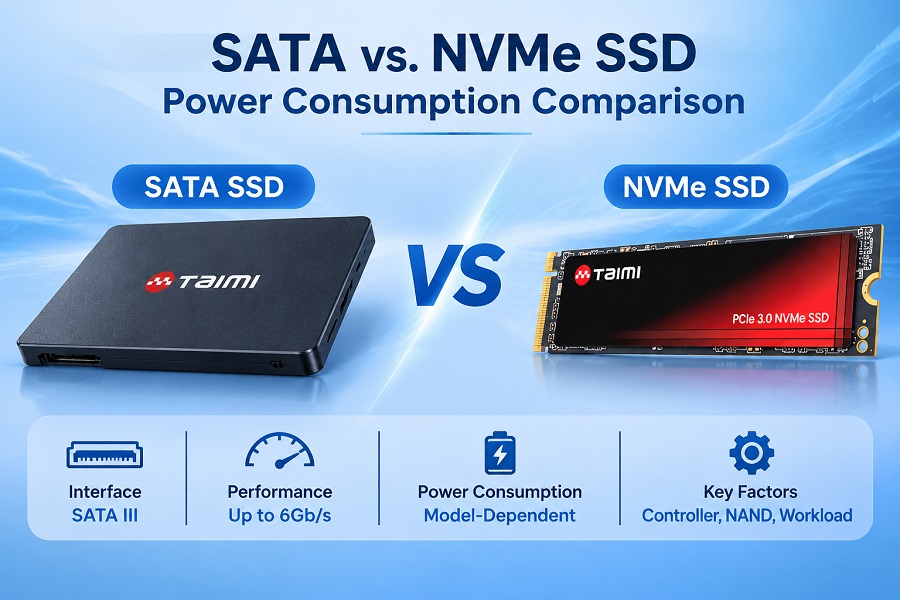
| Comparison Metric | SATA SSD | NVMe SSD |
|---|---|---|
| Interface & Protocol | SATA III (AHCI) | PCIe (NVMe) |
| Power Behavior | Model-dependent; limited by SATA bandwidth | Model-dependent; varies with PCIe generation and controller |
| Active Power | Depends on workload and drive design | May reach higher instantaneous power levels, depending on the drive design and workload |
| Idle & Sleep Management | Relies on HIPM / DIPM / DevSleep | Uses NVMe APST (device states) and PCIe ASPM (link states) |
| Key Consideration | Device compatibility and power requirements | Workload profile, thermal design, and sleep-state support |
3. Active vs. Idle vs. Low-Power States: How SSD Power Usage Changes
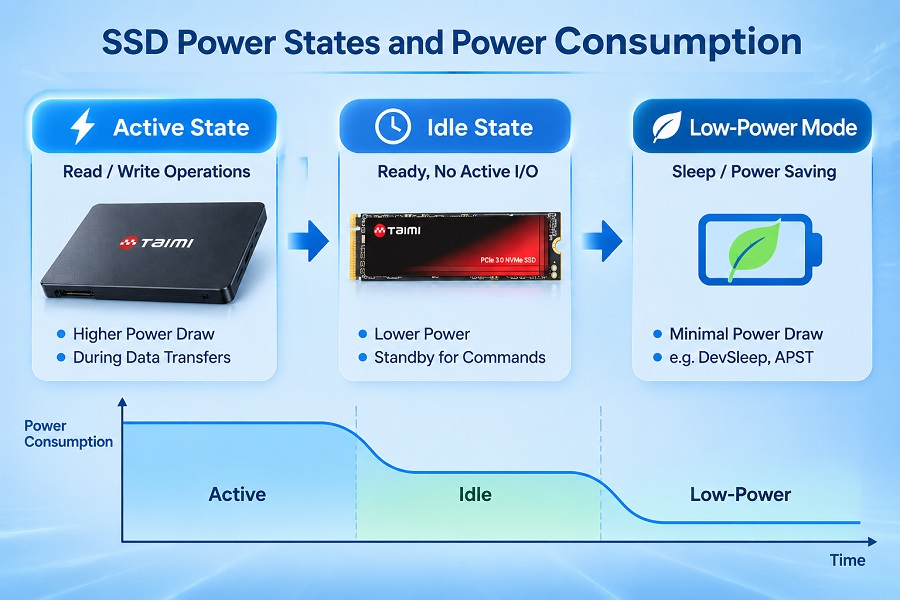
Evaluating an SSD solely by its maximum wattage rating can be misleading because most drives shift continuously between different power states depending on host activity:
- Active Power: Consumed when the SSD is executing host read/write commands or transferring data. Sequential writes can require more internal energy than reads, depending on the NAND technology and drive design, which may result in higher active power consumption.
- Idle Power: Consumed when the SSD is powered on and ready for immediate commands, but no active file transfers are occurring. Background housekeeping tasks (such as wear leveling or garbage collection) may temporarily raise power draw during idle windows.
- Standby and Low-Power States: When the system remains inactive, supported firmware and host power management features can transition the SSD into deeper low-power states, such as SATA DevSleep or NVMe power states like PS3 and PS4, where supported by the drive and host platform. Non-essential circuits are powered down to minimize energy draw, balanced against a brief wake-up latency when new commands arrive.
4. Does SSD Power Consumption Affect Laptop Battery Life?
For mobile devices, storage efficiency matters, though its real-world impact on battery runtime depends heavily on how the laptop is used.
SSD Power Consumption During Everyday Use
During many everyday tasks (such as web browsing, editing documents, and accessing local files), SSD activity is intermittent. The drive may spend much of its operating time in idle or low-power states, depending on the workload and system power management settings. Under these light workloads, the battery life difference between well-optimized SSDs is typically modest.
SSD Power Consumption During Heavy Workloads
Sustained, heavy workloads place much higher demands on storage. Transferring large video files, editing high-resolution media, or loading complex game assets keeps the SSD in an active state for prolonged periods, increasing power draw and heat output.
Can a Low-Power SSD Extend Battery Life?
Choosing an energy-efficient SSD with strong sleep-state support and balanced firmware tuning can help reduce storage-related power drain in portable devices. For more on how cache architecture affects drive design, see DRAM vs. DRAM-less SSD. However, the SSD is only one part of a laptop's total power budget. Screen brightness, CPU/GPU utilization, memory, wireless radios, and OS power settings play a much larger role in overall battery life.
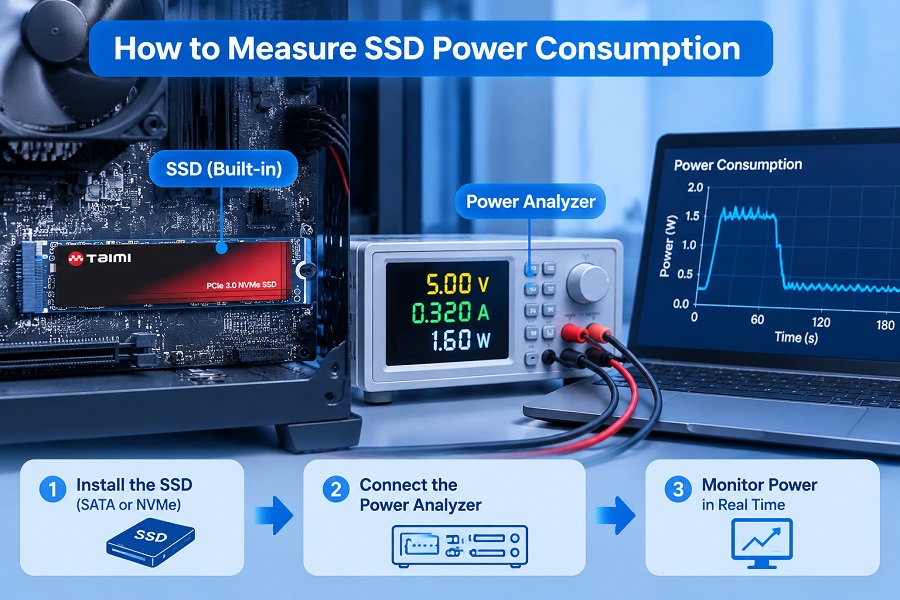
5. How to Measure and Compare SSD Power Consumption
Whether you are validating drives for a custom build or qualifying components for an OEM product, follow three core principles to compare SSD power profiles accurately:
- Check Power Specifications in the Datasheet: Review the manufacturer’s official documentation for Active Power, Idle Power, Standby Power, Maximum Power (the maximum specified power consumption under the manufacturer's stated operating conditions), and Operating Voltage (check the required supply rails and voltage tolerance specified for the particular SSD form factor and model).
- Measure Actual Power Consumption: Software utilities and standard SMART attributes generally do not provide accurate, real-time wattage readings. To evaluate actual power consumption, engineers use dedicated power analyzers or measurement boards to monitor the voltage and current supplied to the SSD. Measurements can then be recorded across active, idle, and low-power operating states.
- Keep Test Conditions Consistent: When comparing samples from different suppliers, always use the exact same test platform, BIOS/OS power plan, workload profile, and ambient temperature. Separate active wattage from idle/sleep wattage rather than relying on rough averages.
6. How to Choose an SSD for Low-Power OEM Applications
For B2B buyers and device manufacturers, storage selection must align with the host device's electrical budget, enclosure constraints, and operating environment:
- Laptops and Portable Devices: Prioritize SSDs with verified low standby or sleep power consumption and compatible power management features, such as SATA DevSleep or PCIe ASPM L1.2, where supported by the drive and host platform.
- Embedded Computing Systems: Fanless Mini PCs and compact embedded controllers often operate under strict power supply ceilings and limited airflow. Focus on peak power limits, thermal behavior, and hardware compatibility within tight spaces.
- Commercial and Specialized Equipment: POS terminals, digital signage players, and commercial office terminals require continuous, reliable operation across frequent power cycles. Prioritize stable voltage tolerance, dependable power-loss handling, and long-term supply consistency over extreme benchmark speeds.
7. What Should OEM Buyers Check Before Selecting an SSD?
Before locking in a Bill of Materials (BOM) for mass production, OEM procurement and engineering teams should verify the following electrical and supply parameters:
| Specification | What OEM Buyers Should Confirm |
|---|---|
| Active Power | Average power consumption during read and write operations. |
| Idle Power | Baseline power draw when the drive is powered on with no active I/O. |
| Standby Power | Power consumption measured in the manufacturer's specified standby or low-power operating state. |
| Maximum Power | The maximum specified power consumption under the manufacturer's stated operating conditions. OEM engineers should use this value, together with applicable transient requirements, when designing the host power supply. |
| Operating Voltage | Required supply rails and allowable voltage tolerance specified for the exact form factor and model. |
| Test Conditions | Specific workloads, platforms, and ambient conditions used to measure datasheet specs. |
| Product Consistency | Assurance that controller, NAND configuration, and firmware remain consistent across bulk batches. |
In OEM system integration, power and thermal issues cannot always be identified by looking at average active power alone. Compatibility between the SSD, motherboard BIOS, firmware, and PCIe power management settings can also affect whether the drive enters its intended low-power states. If these settings are not properly supported or configured, the SSD may remain in a higher-power state during periods of inactivity. Always conduct physical sample testing, verify sleep-state compatibility on the target platform, and validate thermal stability under real operating workloads before approving bulk production.
Next Steps for Your SSD Project
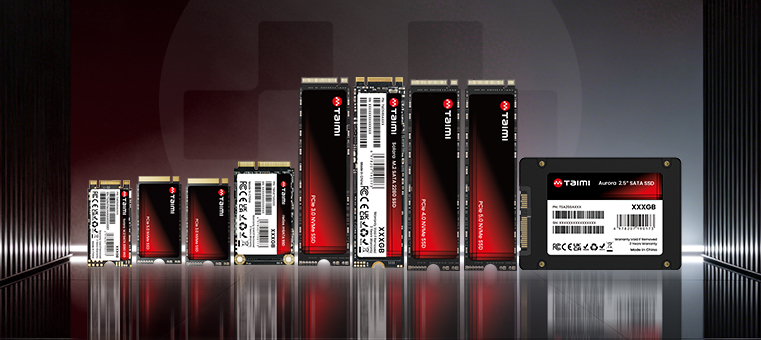
At Taimi, we develop and manufacture SSD storage solutions, including PCIe NVMe and 2.5-inch SATA SSDs, for PC builders, distributors, and OEM projects. We support customers with product specifications, sample evaluation, compatibility verification, and bulk procurement cooperation.
Looking to evaluate SSD samples or confirm specifications for an upcoming project? Contact the Taimi team to discuss your requirements and request product datasheets.
Frequently Asked Questions (FAQs)
1. How much power does a typical SSD use?
There is no single standard wattage for all SSDs. Power draw changes dynamically depending on whether the drive is actively reading/writing data, sitting idle, or resting in a low-power sleep state. Specific power figures vary by controller, NAND flash configuration, capacity, and firmware tuning, so you should always check the manufacturer's datasheet for the exact model.
2. Does an NVMe SSD consume more power than a SATA SSD?
Not always. While certain NVMe SSDs may exhibit higher instantaneous performance and peak power draw under heavy loads, task completion time, low-power sleep states, and the actual workload all affect total energy consumption. Depending on the drive design and usage pattern, total energy usage can be comparable.
3. Does SSD power consumption affect laptop battery life?
Yes, though the impact is usually modest during everyday tasks like web browsing and document editing, where SSD activity is intermittent and the drive spends much of its time in idle or low-power states. Under sustained heavy storage workloads, an SSD with higher active power consumption can contribute to increased battery drain. However, the overall impact depends on the workload and the power consumption of other system components.
4. Do SSDs consume power when idle?
Yes. When an SSD is powered on, it generally consumes some power even when no host I/O is taking place. The actual idle power draw depends on the drive's design, background activities, and supported power management features. If the system remains inactive, supported host and device power management features can transition the SSD into deeper low-power states to reduce consumption further when the required hardware, firmware, and system configurations are available.
5. Does a larger-capacity SSD use more power?
Not necessarily. Higher-capacity SSDs may use more NAND dies or different NAND configurations, which can increase active power draw in some designs. However, power consumption depends on the specific NAND density, controller architecture, and firmware tuning rather than capacity alone.
6. How can I check the power consumption of an SSD?
Start by checking the manufacturer’s official technical datasheet for Active, Idle, Standby, and Maximum power ratings. Because standard SMART monitoring software rarely reports accurate real-time wattage, engineers measure actual power consumption using dedicated hardware measurement equipment under controlled, consistent test conditions.
Related Products
Recommended Articles
PCIe 3.0 NVMe SSD Price: What Affects the Cost of Different Capacities?
2026-11-11
More
How to Import SSDs from China: A Step-by-Step Guide
2026-11-09
More
2.5-Inch SATA SSD Price: What Affects the Cost of Different Capacities?
2026-11-06
More
SSD Manufacturing Lead Time: From Sample Approval to Bulk Delivery
2026-11-04
More
How to Compare SSD Supplier Quotes for Bulk Orders: 7 Key Factors
2026-10-30
More
Can You Use an M.2 SSD as an External Drive?
2026-10-28
More
How to Choose an SSD Supplier in China: A Practical Buyer's Guide
2026-10-07
More
How to Choose a 2.5-Inch SATA SSD Supplier for Bulk Orders
2026-09-28
More
How to Choose an NVMe SSD Supplier: Bulk Buyer & OEM Guide
2026-09-16
More
How Much SSD Storage Do You Need? 512GB vs. 1TB vs. 2TB SSD
2026-08-24
More
What Is a PCIe SSD? Speed, NVMe, and Compatibility Guide (2026)
2026-08-19
More
What Is eMMC? Everything You Need to Know About eMMC Storage
2026-09-04
More